

Docs or It Didn’t Happen – Understanding IT Documentation
Why Your Business Can’t Afford Poor IT Documentation
What is IT documentation? It’s the collection of all recorded information about your IT infrastructure, systems, and processes that helps your team operate efficiently and solve problems quickly.
Quick Answer:
– System Documentation: Hardware specs, software configurations, network diagrams
– Process Documentation: Standard operating procedures (SOPs), troubleshooting guides, runbooks
– Support Documentation: User manuals, FAQs, incident response plans
– Compliance Documentation: Audit trails, security policies, regulatory records
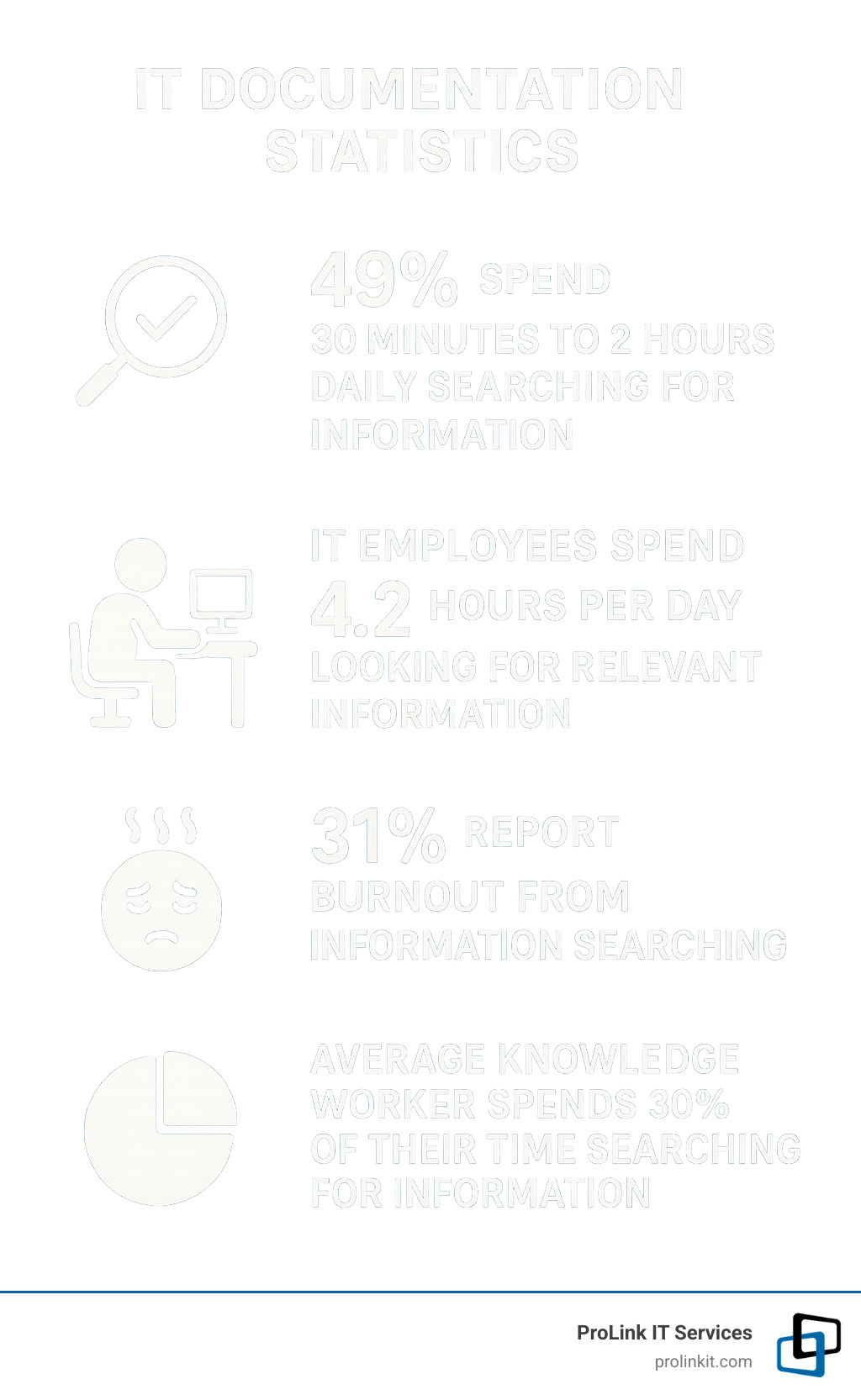
Here’s a sobering reality: 49% of employees spend between 30 minutes and two hours every day just searching for the information they need to do their jobs. For IT teams, this problem is even worse – IT employees waste an average of 4.2 hours daily looking for relevant information, leading to 31% feeling burnt out from this constant search.
Think of IT documentation as the owner’s manual for your entire technology ecosystem. Without it, every system failure becomes a crisis, every new hire takes months to get up to speed, and your business knowledge walks out the door when key employees leave.
I’m Mitch Johnson, founder and CEO of ProLink IT Services, and over my 20+ years in the technology sector, I’ve seen how proper documentation transforms IT operations from reactive firefighting to proactive management.
What Is IT Documentation?
What is IT documentation? Simply put, it’s your organization’s single source of truth for everything technology-related. Think of it as the master blueprint for your entire tech ecosystem – from the server humming in your closet to the cloud services running your email.
IT documentation covers every piece of technology in your business. This includes your hardware configurations, your standard operating procedures, your network runbooks, and your compliance records.
Definition & Scope: what is IT documentation
It’s 2 AM, your email server crashes, and your on-call technician is staring at a maze of cables and blinking lights. With proper documentation, they pull up a clear diagram showing exactly which cable goes where and follow a tested recovery procedure. Without it? Your Monday morning won’t be pleasant.
What is IT documentation in the real world? It’s your business processes mapped out clearly, your IT assets cataloged completely, and your network diagrams drawn accurately. Think of it as creating a detailed map of your technology landscape that anyone on your team can follow.
The Business Case for “what is IT documentation”
Poor documentation isn’t just annoying – it’s expensive. When your IT team spends over four hours daily hunting for information instead of solving problems, you’re essentially paying premium wages for treasure hunting.
Efficiency improves dramatically when your team can find answers quickly. Cost savings add up fast. Training a new technician typically costs around $35,000 and takes three months. With solid documentation, you can cut that to four weeks and about $12,600.
Security gets stronger when everyone follows the same documented procedures consistently. Disaster recovery becomes manageable instead of panic-inducing.
Latest research on wasted time shows knowledge workers spend 30% of their time – that’s 2.5 hours daily – just searching for information they need to do their jobs.
Good documentation transforms your IT operations from reactive firefighting to proactive management.
Key Benefits & ROI
The investment you make in proper IT documentation pays dividends across your entire organization. The most immediate benefit is reduced Mean Time to Resolution (MTTR). When your server crashes at midnight, your technician doesn’t need to piece together clues like a detective.
Faster onboarding is another game-changer. Instead of shadowing senior staff for months, new hires can reference clear documentation to understand your systems. Audit readiness becomes automatic when all required documentation is organized and current.
Knowledge retention protects your business from the “hit by a bus” scenario. When your star technician moves on, their expertise doesn’t walk out the door with them.
Productivity Gains & Burnout Reduction
When your IT team spends half their day hunting for basic information, it creates a cycle of frustration that affects everyone. Well-documented environments create higher job satisfaction because people can focus on interesting problem-solving instead of information archaeology.
The reduced stress is noticeable almost immediately. Clear procedures eliminate that sinking feeling of not knowing how to handle a critical situation. This leads to better work-life balance too.
Employee burnout study research confirms what we see in the field: excessive time spent searching for information directly contributes to employee burnout and turnover.
Compliance, Security & Disaster Recovery
In today’s business environment, documentation isn’t just helpful – it’s often legally required. Standards like ISO/IEC 27001 mandate current IT documentation for compliance.
Regulatory compliance varies by industry, but the documentation requirements are universal. Healthcare organizations need HIPAA compliance records, financial services require SOX controls, and government contractors must meet CMMC standards.
When security incidents happen, documented incident response procedures ensure your team responds quickly and consistently. Disaster recovery documentation can literally save your business.
For more information about protecting your organization, check out our guide on 5 Essential IT Security Services.
Types & Real-World Examples of IT Documentation
When people ask “what is IT documentation,” they’re often surprised by how many different types exist. Think of it like organizing a massive toolbox – you need different tools for different jobs.
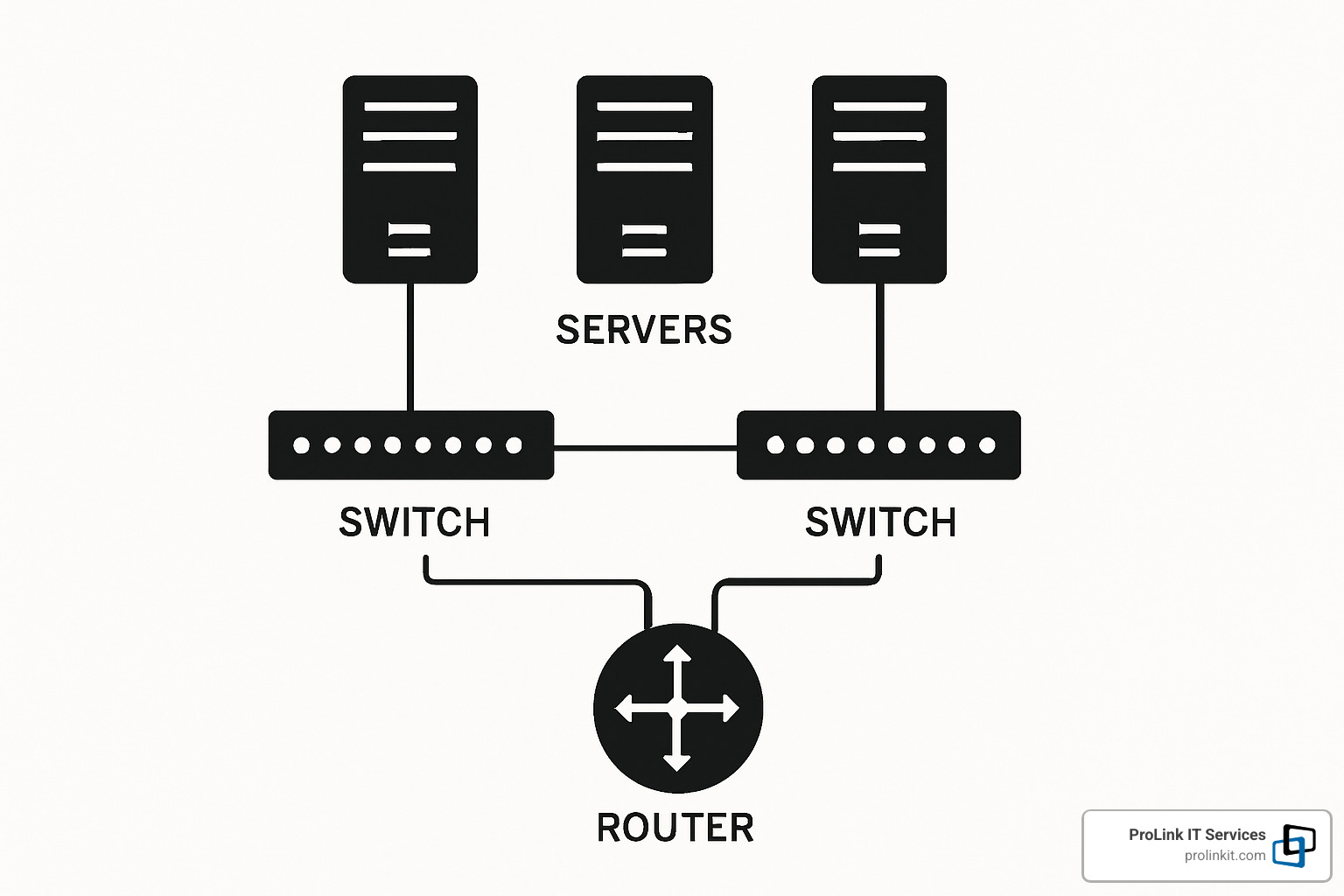
System documentation covers the nuts and bolts of individual pieces – your servers, applications, and how they’re configured. Infrastructure documentation zooms out to show the big picture with network diagrams and server layouts.
Process documentation includes step-by-step procedures your team follows every day. Incident response documentation provides specific playbooks for handling security breaches and system failures.
User documentation helps your end-users work safely and effectively without constantly calling the help desk. Good user docs can cut support tickets by 40% or more.
Core Technical Documentation Categories
Hardware inventory is your lifeline during emergencies. You need complete records of every server, router, switch, and workstation in your environment. Include warranty information, support contacts, and physical locations.
Software inventory tracks your operating systems, applications, licensing details, and patch levels. This documentation becomes invaluable during audits and helps prevent costly licensing violations.
Network documentation transforms chaos into clarity. Your network topology diagrams, IP address allocations, and firewall configurations should be so clear that a new technician can understand your setup within minutes.
Cloud architecture documentation has become essential as more organizations adopt hybrid environments. Document your cloud service configurations, integration points with on-premises systems, and security settings.
Supporting & End-User Documentation
Frequently asked questions should cover the issues that make your phone ring most often. Tutorials and training materials bridge the gap between “here’s how it works” and “here’s how you actually do it.”
Onboarding documentation deserves special attention because first impressions matter. Troubleshooting guides are your secret weapon for consistent problem-solving.

These supporting documents often prove their worth during crisis situations. When your email server goes down at the worst possible moment, having a clear troubleshooting runbook can mean the difference between a five-minute fix and a five-hour nightmare.
Best Practices, Tools & Automation
Creating effective IT documentation requires a solid foundation, the right materials, and skilled craftspeople who know what they’re doing.
The most successful documentation programs use standardized templates that make information easy to find and understand. Version control is another non-negotiable element. Access controls ensure that sensitive information only reaches the people who actually need them.
Automation can handle much of the heavy lifting. Modern tools can automatically find and document your IT assets, reducing manual effort and improving accuracy. But even the best automation needs human oversight through regular review cycles.

Building Effective Processes for “what is IT documentation”
Planning and scoping comes first. Before anyone writes a single procedure, you need to define what needs documenting, who will use it, and how you’ll keep it current.
Clear ownership makes or breaks documentation programs. Every piece of documentation needs a designated owner. Style guidelines ensure consistent formatting, terminology, and structure.
Update schedules vary by content type. Network diagrams might need monthly reviews, while hardware inventories could be updated quarterly.
Choosing & Integrating Documentation Platforms
Searchability tops the list of must-have features. If users can’t quickly find relevant information, they’ll stop looking and start calling the help desk instead.
Permissions and security ensure sensitive information stays protected. Integration capabilities become increasingly important as your IT environment grows more complex.
Audit trails matter for compliance and accountability. API access opens up automation possibilities.
For organizations managing complex networks, comprehensive documentation becomes even more critical for effective operations. Learn more about Network Management strategies that depend on thorough documentation practices.
Getting Started & Encouraging a Documentation Culture
The biggest hurdle with what is IT documentation isn’t figuring out the technology – it’s getting your team to actually use it. Your team already knows documentation matters, but making it feel like a natural part of their workflow requires strategy.
Start with quick wins that solve immediate pain points. Focus on the stuff that makes everyone groan when they can’t find it. Prioritize high-impact areas where missing information causes the most chaos.
Provide training that covers both the technical aspects of your chosen tools and the communication skills needed to write clear, useful guides. Create genuine incentives that matter to your team.
Most importantly, lead by example. If management doesn’t use and contribute to documentation, the team won’t either.

First 30-Day Action Plan
Week 1 is all about taking inventory. List all the systems, applications, and processes that need documentation. Survey your team about their biggest information pain points.
Week 2 focuses on tools and templates. Select your documentation platform and create three to five standard templates for common documentation types.
Week 3 is pilot project time. Choose one high-impact area for your first real documentation effort. Assign a documentation owner who actually works with that system regularly.
Week 4 is all about feedback and refinement. Have team members test the documentation by following the procedures step-by-step.
Maintaining Momentum & Measuring Success
Documentation usage analytics tell you which sections people actually find helpful. Track resolution time improvements to show the real business impact.
Regular review meetings keep documentation visible and active. Consider ownership rotation to prevent any single person from becoming a bottleneck.
Focus on continuous improvement rather than perfection, and your documentation culture will develop naturally over time.
Frequently Asked Questions about IT Documentation
How often should IT documentation be reviewed and updated?
The review frequency should match how quickly your environment changes and how critical the information is to your operations.
For critical system documentation that covers your production servers and essential applications, monthly reviews make sense. Network diagrams and infrastructure maps need quarterly attention, or immediately after any infrastructure changes.
Process documentation like troubleshooting guides can typically go six months between reviews. Hardware and software inventories work well with quarterly updates.
The secret is tying documentation reviews to activities you’re already doing regularly, like monthly maintenance windows or quarterly business reviews.
Which compliance frameworks relate to IT documentation?
If your business operates in a regulated industry, documentation isn’t just helpful – it’s legally required.
ISO/IEC 27001 requires documented information security management systems. Healthcare organizations must meet HIPAA requirements. Companies handling credit card transactions need PCI DSS compliance.
SOC 2 audits require documented controls and procedures. Government contractors face CMMC requirements. The financial sector deals with SOX compliance.
How can automation make documentation easier?
Asset findy tools can automatically scan your network and create comprehensive inventories. Configuration capture automatically records server settings and network configurations.
Change detection systems monitor your environment and alert you when documentation needs updates. Template population automatically fills in documentation templates with current system information.
Workflow automation can handle approval processes and update notifications that keep documentation programs running smoothly.
Conclusion
Now that you understand what is IT documentation and how to implement it effectively, the real work begins. Creating comprehensive documentation isn’t a one-time project – it’s an ongoing commitment that requires discipline, planning, and the right mindset.
Organizations that invest in proper IT documentation see their technicians spend less time searching and more time solving real problems. They experience faster recovery from outages, smoother compliance audits, and teams that actually enjoy their work.
As a veteran-owned business, we at ProLink IT Services know the value of disciplined processes and attention to detail. Proper documentation can be the difference between mission success and failure.
Start small, but start today. Pick the one process that causes your team the most headaches when information goes missing. Document that first. Get it written down, tested, and accessible to your team. Then move on to the next pain point.
The investment in time and resources pays real dividends. Your team will thank you when they can solve problems quickly. Your business will benefit from reduced downtime and faster response times. You’ll sleep better knowing that critical knowledge won’t walk out the door when key employees leave.
Focus on building sustainable practices that will serve your organization for years to come. Create a culture where sharing knowledge is valued and rewarded. Make documentation part of how your team naturally works, not an afterthought.
At ProLink IT Services, we’ve helped organizations across Utah and beyond transform their IT operations through better documentation and disciplined processes. Our approach emphasizes partnership and integrity – we work alongside you to build solutions that fit your specific needs and company culture.
Ready to take your IT operations to the next level? Learn more about how comprehensive Managed IT Services can support your documentation efforts and overall IT strategy. Because when it comes to running reliable technology systems, there’s one rule that never fails: if it’s not documented, it didn’t happen – and that’s a risk no business can afford to take.