

Help Desk vs Service Desk: What’s the Difference?
Understanding Modern IT Support: Beyond Basic Help Desks
IT service desk support provides a single point of contact for all technology-related issues and requests within an organization. Unlike simple help desks that focus on break-fix problems, a comprehensive service desk delivers strategic value through proactive support, self-service options, and process integration.
Here’s what you need to know about IT service desk support:
| Feature | Help Desk | Service Desk |
|---|---|---|
| Focus | Reactive break-fix | Proactive service delivery |
| Scope | Technical incidents | End-to-end service management |
| Functions | Ticket resolution | Incident, request, knowledge & change management |
| Alignment | IT-centric | Business and user experience-centric |
| Maturity | Entry-level | Strategic capability |
In today’s business environment, organizations face increasing pressure to deliver seamless technology experiences to employees. Research shows that 59% of employees believe their workplace technology is scattered across systems, while 52% find their software dated and difficult to use. This fragmentation creates productivity barriers that modern IT service desk support aims to solve.
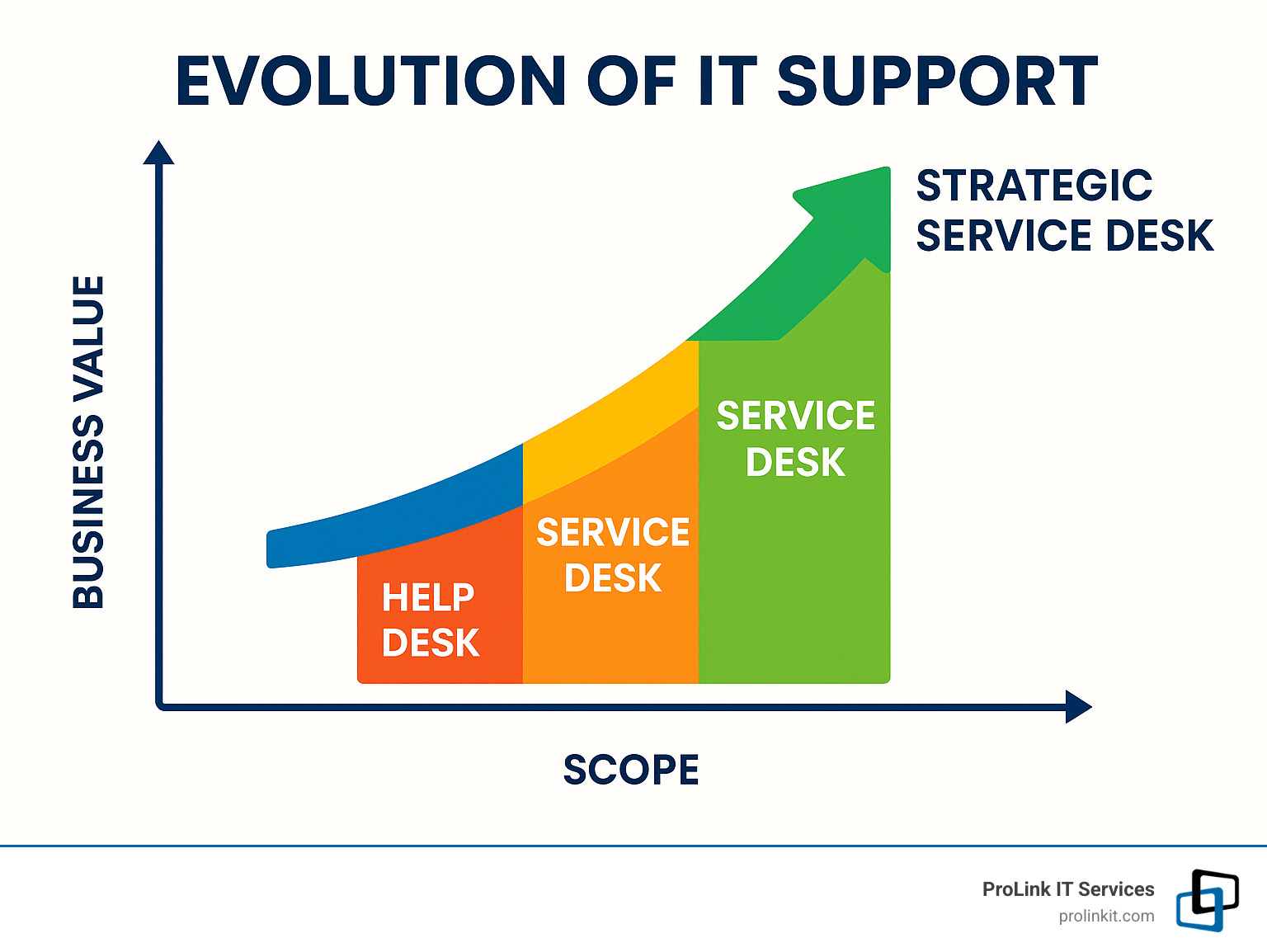
The evolution from basic help desks to comprehensive service desks reflects a fundamental shift in how organizations view technology support – from a necessary cost center to a strategic enabler of business value and employee experience.
I’m Mitch Johnson, founder of ProLink IT Services, with over 20 years of experience implementing effective IT service desk support solutions that transform how businesses manage their technology needs and improve employee productivity.
Defining the Landscape: Help Desk, Service Desk, ITSM
Ever been confused by all the IT support terminology? You’re not alone! The world of tech support is filled with overlapping terms that can leave even seasoned professionals scratching their heads. Let’s clear things up and explore the differences between help desks, service desks, and the broader concept of IT Service Management.
What Is a Help Desk?
Think of a help desk as your tech-support first responders. When your computer crashes or your password stops working, these are the folks who jump in to save the day.
A help desk is primarily reactive—they spring into action when something breaks. Their main goal? Get you back to work as quickly as possible. They’re focused on solving immediate technical problems rather than looking at the bigger picture. Success for a help desk team is measured by how many tickets they close and how fast they resolve issues.
While incredibly valuable, help desks represent the most basic form of IT support—they’re excellent at putting out fires but aren’t typically designed to prevent them in the first place.
What Is an IT Service Desk Support Model?
An IT service desk support model takes everything a help desk does and lifts it to the next level. It’s not just about fixing what’s broken—it’s about enhancing the entire technology experience.
According to ITIL (Information Technology Infrastructure Library), a service desk serves as “the single point of contact between the service provider and the users.” But in practice, it’s so much more than that.
An IT service desk support team doesn’t just wait for problems to happen—they actively work to prevent issues before they impact your workday. They take a customer-first approach, focusing on your experience rather than just the technology. Beyond fixing technical problems, they handle service requests like setting up new employees with equipment or managing software licenses.
What really sets service desks apart is how they connect with broader IT processes like change management and align their work with your business goals. They build knowledge bases and self-service options that empower you to solve simple problems yourself—saving everyone time and frustration.
Help Desk vs Service Desk vs ITSM
While help desks and service desks represent different approaches to support, ITSM (IT Service Management) is the big umbrella that covers everything related to IT service delivery.
Here’s how they compare:
- Help Desk: Tactical firefighters focused on resolving immediate technical issues
- Service Desk: Strategic partners focused on service delivery and enhancing your technology experience
- ITSM: The comprehensive framework that guides how IT services are designed, delivered, managed, and improved
Interestingly, there’s still plenty of confusion about these terms in the industry. According to HDI research, 41% of support centers use various titles for their functions, showing how inconsistently these terms are used across organizations. However, ITIL experts maintain that the distinction between help desk and service desk reflects a fundamental difference in approach and maturity.
The journey from help desk to service desk represents an evolution toward continuous improvement rather than just problem-solving. Organizations with mature ITSM practices typically implement service desks as part of their broader strategy to deliver exceptional technology experiences.
Latest research on terminology confirms this shift toward more comprehensive support models as businesses increasingly recognize that technology support isn’t just an IT concern—it’s a critical business function that directly impacts employee productivity and satisfaction.
Core Functions and Responsibilities of Modern IT Service Desk Support
Today’s IT service desk support does so much more than just answer calls about frozen computers. Think of it as the beating heart of your organization’s technology ecosystem – the place where everything from simple password resets to complex system outages gets handled with care and precision.
Incident & Request Management Workflow
At the foundation of every effective IT service desk support operation is a well-oiled workflow that guides issues from start to finish. When an employee encounters a technology problem, their request begins a journey:
The process starts with ticket creation through whatever channel works best for them – a quick phone call, email, chat message, or self-service portal. From there, trained specialists categorize the issue based on its nature, urgency, and business impact. Is it affecting one person or the entire accounting department? Is it preventing critical work or just a minor inconvenience?
Once prioritized, the ticket finds its way to the right support tier – from frontline generalists to specialized experts depending on complexity. After implementing a solution, the team doesn’t just move on – they document what happened, confirm the user is satisfied, and close the loop with care.
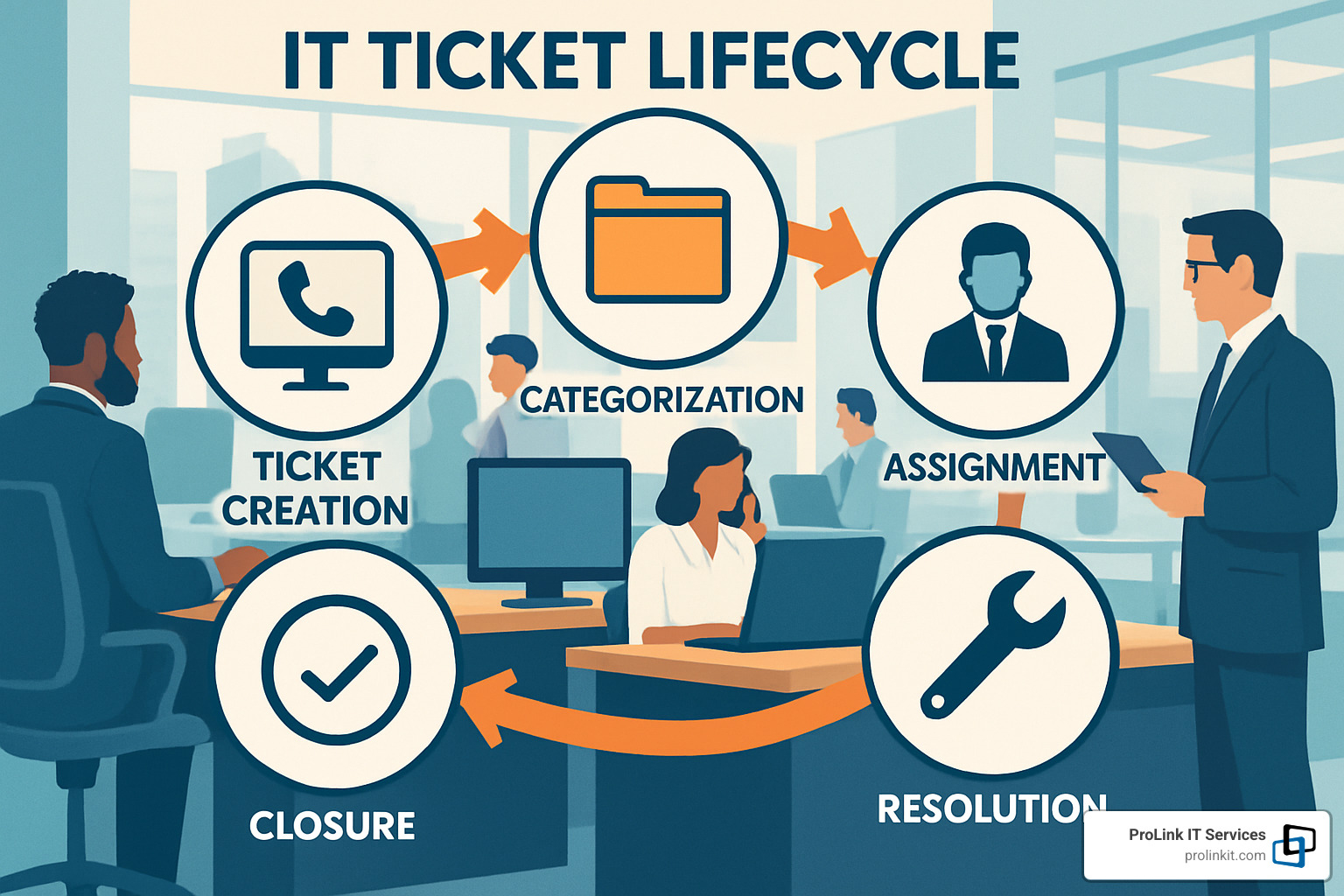
Behind this smooth process are carefully crafted Service Level Agreements (SLAs) that set expectations for response and resolution times. Most organizations structure their support in tiers – from self-service resources (Tier 0) all the way up to specialized vendor support (Tier 4) when needed. This tiered approach ensures issues get solved efficiently while maintaining clear accountability throughout.
Knowledge & Self-Service Portals
What truly separates basic help desks from mature service desks is their commitment to empowering users. Modern IT service desk support builds robust knowledge management systems that help people help themselves.
A well-designed knowledge base puts solutions at employees’ fingertips – searchable articles, step-by-step guides, and answers to common questions. Self-service portals provide intuitive interfaces where users can submit requests, track progress, and find information without picking up the phone. Service catalogs clearly outline available IT services with transparent expectations and timelines.
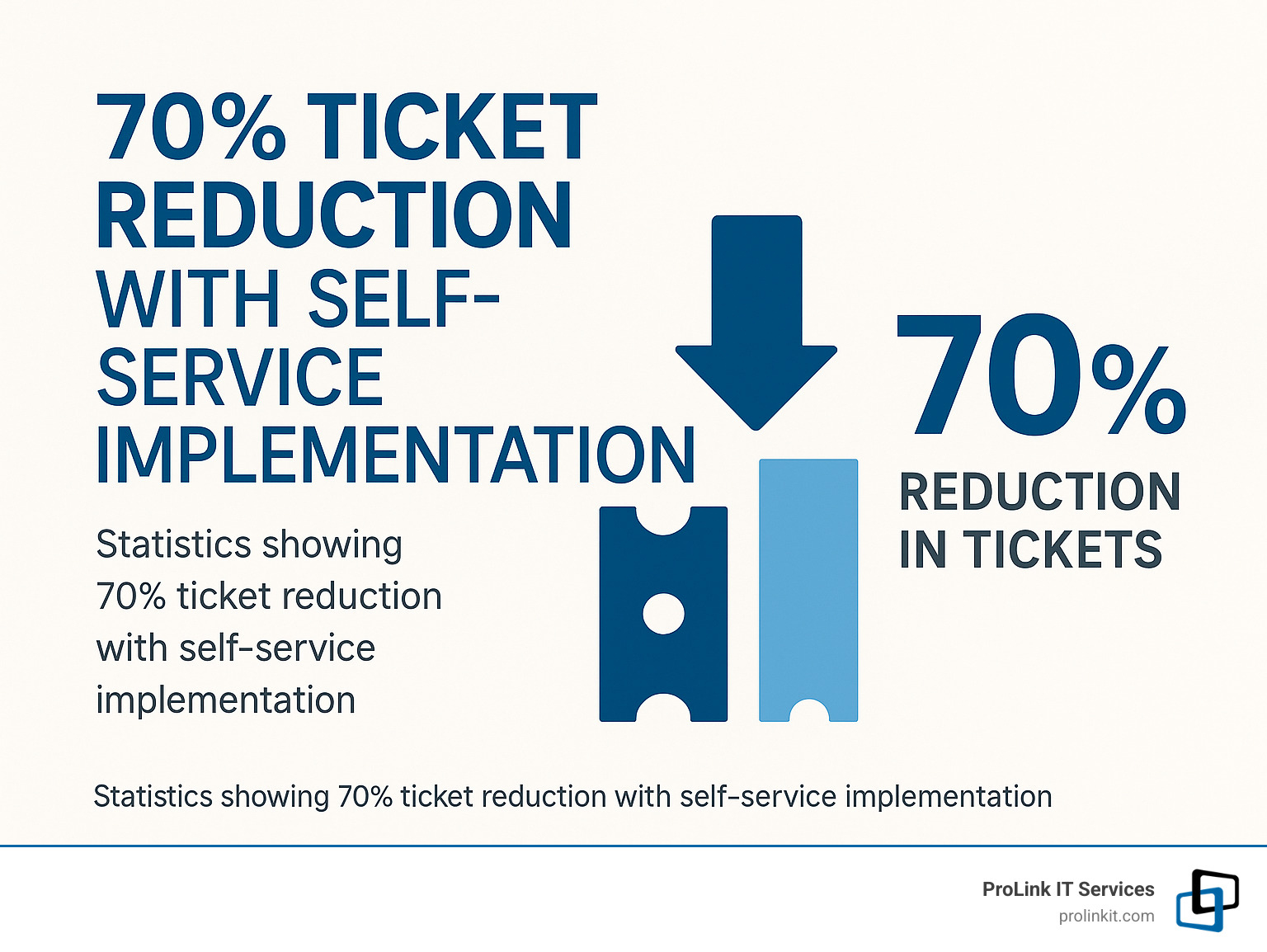
Many organizations now improve these resources with AI chatbots that understand natural language questions and guide users to solutions. This approach creates what experts call a “shift-left” strategy – moving problem-solving earlier in the support process. The results can be remarkable – companies like Vodafone have reduced support tickets by 70% after implementing robust self-service options, freeing up their technical experts to tackle more complex challenges.
Want to learn more about how remote support fits into this picture? Check out our detailed guide on remote IT support benefits.
Integration with Change & Asset Management
A truly effective IT service desk support function doesn’t operate in isolation – it’s deeply connected to other critical IT processes. The service desk maintains visibility into your Configuration Management Database (CMDB), which tracks all technology assets and how they relate to each other. This integration means when someone calls about a problem, support staff can immediately see what hardware and software they’re using.
The service desk also plays a crucial role in change management, helping coordinate and approve modifications to systems while preventing unauthorized changes that could create new problems or security risks. When similar incidents keep appearing, the service desk triggers problem management processes to find and fix root causes rather than treating symptoms repeatedly.
This holistic approach ensures your support team doesn’t just put out fires – they help prevent them in the first place. By connecting incident management with asset tracking, change control, and problem resolution, your service desk becomes a central hub for maintaining technology health across the organization.
Benefits and Business Impact of IT Service Desk Support
When you implement a robust IT service desk support solution, you’re not just adding another IT function – you’re creating a foundation for business success that ripples through your entire organization. Let’s explore how a well-designed service desk delivers real value where it matters most.
How IT Service Desk Support Boosts Employee Productivity & Satisfaction
Nothing frustrates employees more than technology that doesn’t work when they need it. A quality IT service desk support system keeps your team productive by minimizing those frustrating tech disruptions.
The numbers tell an impressive story. Companies like Redfin have achieved a remarkable 92% customer satisfaction score after implementing modern service desk solutions. Similarly, Shopify manages to handle a staggering 170,000 conversations monthly while maintaining that same 92% CSAT score. These aren’t just feel-good metrics – they translate directly to productivity gains. When your team can get help quickly, they spend more time working and less time waiting.
What makes the difference? Modern service desks create a more human experience through personalized support that recognizes users and their history, multi-channel access that meets employees where they are, proactive notifications about known issues before they become problems, and thoughtful follow-up communication to ensure solutions actually worked.
As our workplaces become increasingly technology-dependent, the quality of IT support directly impacts how employees feel about their jobs. A responsive help experience builds trust and satisfaction – critical factors in today’s competitive talent market.
Operational Efficiency & Cost Control
Beyond the human benefits, IT service desk support delivers significant operational advantages that improve your bottom line.
Automation and self-service can deflect between 30-50% of routine tickets, dramatically reducing support costs. Our research shows organizations like Vodafone have cut ticket volume by an impressive 70% through effective self-service implementation. When common issues get resolved through knowledge bases and automation, your skilled support staff can focus on the complex problems that truly need their expertise.
Standardized processes ensure consistent handling of issues, improving both efficiency and quality. Resource optimization through tiered support guarantees issues are addressed at the appropriate skill level, while data-driven improvements help identify trends that can lead to systemic fixes rather than endless firefighting.
Strategic Alignment & Customer/Employee Experience
Perhaps the most valuable benefit of a mature service desk is how it aligns IT support with your broader business goals.
When your service desk focuses on business continuity, it minimizes disruptions to critical services that could impact customers. By supporting digital change, it helps your organization adopt new technologies smoothly. Through effective risk management, potential issues are identified and addressed proactively before they become major problems. And by enhancing the employee experience, you create a workplace where technology enables rather than hinders productivity.
The connection between employee experience (EX) and customer experience (CX) is well-established. Happy employees with the right tools and support deliver better service to customers – it’s that simple. A responsive, effective service desk is a key piece of this virtuous cycle.
At ProLink IT Services, we’ve witnessed how Utah organizations that invest in quality IT service desk support gain real competitive advantages through improved operational efficiency and happier, more productive employees. When technology just works, your team can focus on what really matters – growing your business.
Features, Tools, and Emerging Trends Shaping Service Desks
The technology powering IT service desk support is evolving faster than ever. Whether you’re looking to upgrade your current system or implement a new one, understanding these innovations can help you make smarter decisions for your organization.
Essential Features Checklist for Selecting Software
When our clients ask what to look for in service desk software, I always start with the fundamentals. Think of your ticketing system as the heart of your operation—it needs to reliably track every request that comes through your doors. Beyond that basic function, you’ll want robust SLA dashboards that automatically flag when response times are at risk.
A comprehensive knowledge base isn’t just nice to have—it’s essential for reducing repeat tickets and empowering both your team and users. Look for systems with strong API integration capabilities that connect with your existing business tools. And don’t overlook security compliance features—they’re non-negotiable in today’s risk landscape.
The best platforms balance powerful functionality with user-friendly interfaces. Your team shouldn’t need a PhD to route a ticket or pull a report. Even the most feature-rich system will fail if your staff finds it too cumbersome to use properly.
AI, Automation & Self-Healing in IT Service Desk Support
Artificial intelligence has transformed what’s possible in IT service desk support. We’re well beyond simple chatbots now—today’s AI solutions use natural language processing to understand user problems and guide them to solutions, often without human intervention.
Predictive analytics might be my favorite advancement in this space. Imagine identifying failing hardware before it crashes or spotting network issues before users even notice slowdowns. That’s the power of modern AI-driven support tools.
Self-healing technologies are particularly exciting. These automated remediation scripts can detect and fix common problems without any human involvement. One client implemented this for password resets and saw a 40% reduction in those tickets overnight.

The real magic happens when these technologies work together to shift support left—resolving issues at earlier, less expensive support tiers. This frees your skilled technicians to tackle the complex challenges that truly require human creativity and judgment.
Omnichannel & Self-Service Portals
Today’s employees expect support on their terms. That might mean submitting a ticket by email while commuting, following up via chat during lunch, and checking status on a mobile app after hours. A truly effective IT service desk support system provides this seamless experience across all channels.
Email remains the backbone of most service desks, but real-time options like chat have become essential for quick questions. Phone support still matters for urgent issues—there’s simply no substitute for human reassurance when critical systems are down.
Self-service portals have evolved dramatically in recent years. The best ones offer intuitive service catalogs where users can browse available IT services with clear descriptions and expectations. Well-designed portals can resolve 30-50% of support needs without agent involvement, creating massive efficiency gains.
Mobile access has become non-negotiable as remote work continues to grow. Your users should be able to submit tickets, check status, and access knowledge articles from anywhere, on any device.
What ties all these channels together is consistency. When a user switches from chat to phone, they shouldn’t have to repeat their story. Context should follow them seamlessly across every touchpoint, creating a frustration-free experience that builds trust in your IT team.
For organizations looking to take their support to the next level, our managed IT services can help implement these modern approaches while maintaining the human touch that technology alone can’t provide.
Best Practices and Metrics for Service Desk Excellence
Implementing IT service desk support is just the beginning of your journey. The real magic happens when you continuously refine your processes, track the right metrics, and adapt to changing needs. Let’s explore how to turn a good service desk into a great one.
Processes, Workflows, & SLAs That Deliver
Behind every smooth IT service desk support operation lies a foundation of well-defined processes. Think of these as the recipe for your support team’s success:
Incident management focuses on getting things back to normal quickly when problems arise. Request fulfillment handles those day-to-day needs like new equipment or software access. Problem management digs deeper to find and fix those pesky recurring issues at their source. Change management helps you make updates without creating chaos, while knowledge management ensures valuable solutions don’t stay locked in one technician’s head.
Clear Service Level Agreements (SLAs) set the expectations for everyone involved. How quickly will your team acknowledge a request? How long should different types of issues take to resolve? What percentage of problems should be fixed during that first conversation? When exactly is your support team available? Having answers to these questions prevents misunderstandings and builds trust.
As a veteran-owned company, we at ProLink IT Services bring a disciplined approach to these processes. Our Utah clients appreciate knowing exactly what to expect – reliable support that consistently meets or exceeds those defined SLAs.
Measuring Performance: KPIs & Reporting
You’ve probably heard the saying: “What gets measured gets improved.” This couldn’t be more true for IT service desk support. The right metrics tell the story of how well your service desk is performing:
Customer Satisfaction (CSAT) reveals what users really think about their support experience. First Contact Resolution (FCR) shows how often issues get solved right away. Mean Time to Resolution (MTTR) tracks how quickly different problems get fixed. Ticket volume helps you understand demand patterns, while self-service adoption indicates how well your knowledge resources are working. Backlog aging prevents tickets from falling through the cracks, and SLA compliance keeps your team accountable to their promises.

But collecting numbers isn’t enough – it’s what you do with them that matters. Real-time operational dashboards give your team visibility into what’s happening now. Trend analysis helps spot patterns before they become problems. Service improvement plans transform insights into action, while executive summaries communicate value in business terms leadership can appreciate.
The goal isn’t just to gather data, but to use it to make your service desk better every day.
Scaling IT Service Desk Support for Growth & Global Teams
As your business grows, your IT service desk support needs to grow with it. When teams expand across cities, states, or even countries, new challenges emerge:
Follow-the-sun support distributes teams across time zones so someone’s always available to help. Tiered support models create clear pathways for escalating complex issues to the right experts. Knowledge sharing becomes essential so solutions don’t get trapped in silos. Standardized processes ensure everyone follows the same playbook, while cultural awareness training helps teams understand regional differences in communication styles and expectations.
For companies with international presence, offering support in local languages makes a world of difference to users. Meanwhile, centralized management keeps everything running smoothly across distributed teams.
At ProLink IT Services, we’ve helped many Utah businesses steer the growing pains of scaling their support capabilities. We ensure that whether you have ten employees or a thousand, across one office or many, everyone receives the same high-quality assistance when they need it.
The beauty of a well-designed service desk is that it can evolve with your organization, providing the foundation for sustainable growth without sacrificing the personal touch that makes support truly effective.
Frequently Asked Questions about Help Desk vs Service Desk
What are the main differences between a help desk and an IT service desk support solution?
When companies come to us confused about terminology, I like to break it down simply. The difference between a help desk and an IT service desk support solution is like comparing a first-aid kit to a complete healthcare system.
Help desks are focused on immediate technical fixes—they’re reactive and designed to get you back to work when something breaks. They’re IT-centric and typically represent an entry point into support capabilities.
In contrast, IT service desk support solutions take a more comprehensive approach. They not only fix what’s broken but also work proactively to prevent issues before they happen. They’re aligned with business goals and user experience rather than just technical resolution. This reflects a more mature approach to managing IT services.
The tools differ too. Help desk software typically focuses on ticket tracking, while service desk platforms offer broader capabilities including self-service portals, knowledge bases, and integration with other IT management systems.
Interestingly, our research found that 41% of organizations use various titles for their support functions—showing that in the real world, these terms often overlap. What matters more than the name is the approach and value delivered.
How can small businesses migrate from help desk to full service desk without huge budgets?
Small businesses don’t need to make this transition overnight. As someone who’s helped many Utah companies evolve their support capabilities, I’ve found that an incremental approach works best.
Start by improving your processes before investing in new tools. Implement basic incident, request, and knowledge management practices following ITIL guidelines. This creates a foundation for everything else.
Building a searchable knowledge base delivers immediate value. When your team documents solutions once and reuses them many times, you’ll see efficiency improvements almost immediately.
Cloud-based service desk platforms offer affordability and scalability that wasn’t available a decade ago. You can start small and grow your capabilities as your business expands.
Focus on automating repetitive tasks first—password resets, software installations, and standard onboarding processes are good candidates. This frees up your technical staff for more valuable work.
Sometimes, partnering with a managed service provider like ProLink IT Services makes the most sense. You get access to enterprise-grade capabilities without building everything yourself. We often help small businesses access technology and expertise that would be out of reach if they tried to develop it in-house.
Evolution beats revolution when budgets are tight. Take it step by step, and prioritize changes that deliver the most immediate business value.
Which metrics prove that IT service desk support is delivering value?
When clients ask me how to show that their IT service desk support investment is paying off, I tell them to focus on business outcomes rather than just IT metrics.
Employee productivity impact is perhaps the most compelling measure. Calculate how much downtime has been reduced since implementing your service desk. Track how quickly critical services are restored after incidents. Measure the percentage of issues resolved through self-service, which gets employees back to work faster.
Cost efficiency metrics tell an important story too. Look at your support costs per employee—they should decrease as your service desk matures. Track the reduction in ticket volume through effective problem management. Measure the shift from expensive support channels (like phone) to more cost-effective ones (like self-service).
User satisfaction might seem soft, but it’s crucial. Your CSAT scores and Net Promoter Scores provide direct feedback on service quality. User surveys can reveal qualitative insights that numbers alone might miss.
Business alignment metrics connect IT support to company goals. How is your service desk supporting strategic initiatives? Have change-related incidents decreased? Are you maintaining compliance with industry regulations?
Service improvement trends show maturity. Are incident volumes decreasing over time? Are you seeing fewer recurring problems? Is your first contact resolution rate improving?
The most powerful approach combines these metrics into a business impact story. Don’t just report that ticket volume is down 30%—calculate the productivity hours saved and translate that into dollar value. This approach helps executives understand the true value of IT service desk support beyond just technical metrics.
Conclusion
The journey from basic help desk to comprehensive IT service desk support isn’t just a change in terminology—it represents a fundamental shift in how organizations approach technology assistance. While traditional help desks react to problems as they occur, modern service desks deliver strategic value that directly impacts your bottom line and employee satisfaction.
Throughout this guide, we’ve explored how service desks have evolved to meet the changing needs of today’s technology-dependent organizations. Let’s recap what we’ve learned:
-
Strategic Alignment: The best service desks don’t just fix computers—they connect technology support directly to business outcomes and employee experience. When your IT support aligns with your company goals, technology becomes an enabler rather than a barrier.
-
Process Integration: Modern IT service desk support coordinates incident management, request fulfillment, knowledge sharing, and change management into a seamless experience. This holistic approach prevents the fragmentation that frustrates users and creates inefficiencies.
-
Self-Service Empowerment: By giving users the tools to solve their own problems, you not only reduce costs but also increase satisfaction. People appreciate the ability to find answers quickly without waiting in a support queue.
-
Data-Driven Improvement: The metrics we’ve discussed aren’t just numbers—they tell a story about where your support is excelling and where it needs attention. This continuous feedback loop drives ongoing improvement of both support services and underlying systems.
-
Emerging Technologies: AI, automation, and omnichannel capabilities aren’t just buzzwords—they’re changing how service desks operate and how users experience support. Staying current with these innovations ensures your support remains relevant and effective.
At ProLink IT Services, we bring our veteran-owned discipline and integrity to every IT service desk support implementation we undertake. We don’t believe in one-size-fits-all solutions—instead, we partner with you to develop support strategies that align with your unique business needs and company culture.
For Utah businesses looking to improve their technology support capabilities, we offer comprehensive managed IT services that include modern service desk solutions custom to your specific requirements. Our team combines technical expertise with business acumen to deliver support that truly enables your team’s productivity and helps drive growth.
Ready to transform your approach to IT support? Learn more about our Managed IT Services and find how ProLink IT Services can help implement effective, efficient IT service desk support that delivers measurable value to your organization.
After all, technology support isn’t just about fixing what’s broken—it’s about creating an environment where technology empowers rather than frustrates. And that’s exactly what we help our clients achieve every day.