

Endpoint Security Simplified – Your Ultimate Guide
Why Endpoint Security is Your Organization’s First Line of Defense
How to secure endpoints is a critical question for modern businesses. The traditional network perimeter has dissolved, and the diversity of endpoints—laptops, smartphones, tablets, and IoT devices—creates a massive attack surface. If left unsecured, these endpoints can become the weakest link in your security strategy.
Quick Answer: How to Secure Endpoints
- Register all devices with cloud identity providers (like Microsoft Entra ID)
- Enforce compliance policies for device health and security baselines
- Implement Data Loss Prevention (DLP) for both corporate and personal devices
- Deploy endpoint threat detection to monitor device risk in real-time
- Gate access control based on endpoint risk assessment
- Use encryption (BitLocker for Windows, FileVault for macOS)
- Apply Zero Trust principles – never trust, always verify every endpoint
The rise of remote work and bring-your-own-device (BYOD) policies adds complexity. Unmanaged devices with varying configurations and patch levels create security gaps that cybercriminals actively exploit.
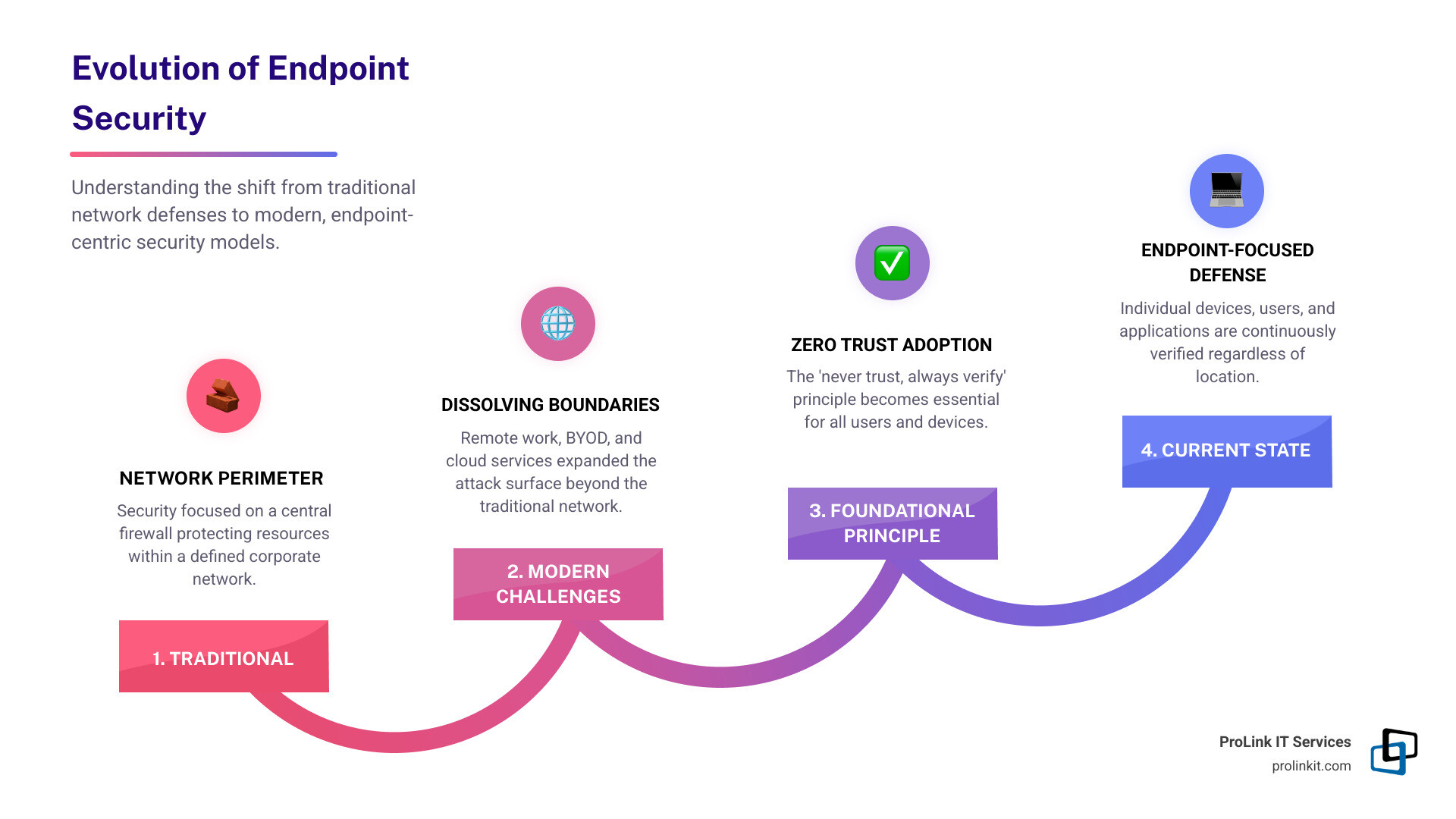
Zero Trust security has emerged as the answer. Its principle is simple: never trust, always verify. This means verifying all endpoints, from corporate-owned laptops to personal smartphones accessing company data.
As Mitch Johnson, founder and CEO of ProLink IT Services with over 20 years in cybersecurity, I’ve helped countless businesses secure endpoints effectively. My experience shows that a layered approach is key to protecting data, regardless of where employees work or what devices they use.
Quick how to secure endpoints definitions:
Understanding the Foundation: The Zero Trust Model for Endpoints
Zero Trust security operates on the principle of “Never trust, always verify.” This is a complete mindset shift for protecting business data, treating every access attempt as if it’s from an untrusted network.
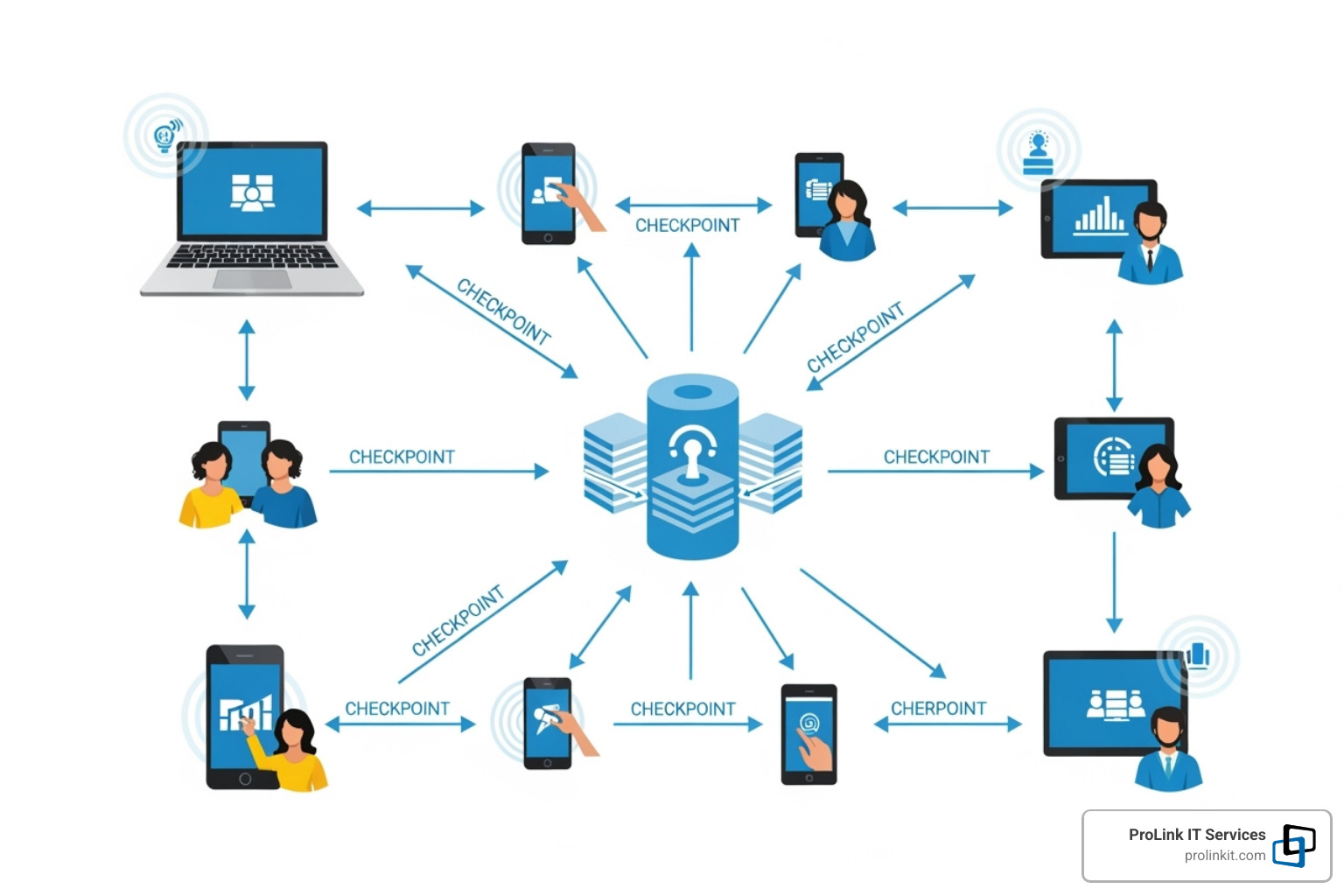
The old model of trusting devices inside the network firewall is obsolete. With employees working from anywhere on various devices, the traditional perimeter has disappeared.
Zero Trust discards the old rulebook. It treats every access request as potentially suspicious, regardless of its origin. Continuous verification of device health, user identity, and security posture becomes the new normal before granting access to any data.
This approach covers all devices: corporate-owned devices, personally-owned devices (BYOD), and IoT devices. A Windows PC faces the same security scrutiny as an iPad, whether it’s on the office network or public WiFi.
The challenge is that not all devices are under your direct control. They may belong to employees, contractors, or partners and have different operating systems and patch levels. How to secure endpoints becomes about managing this diversity.
Zero Trust handles this complexity through centralized, cloud-based policies that cover everything from device health checks to app protection. Before anyone can access business data, the system automatically verifies that all security controls are working. If a device is non-compliant or shows signs of compromise, access is restricted until the issue is resolved.
This automated response is crucial. When a security issue is detected, the system can immediately contain the risk by limiting device access or performing a selective wipe of corporate data while leaving personal information untouched.
For businesses looking to implement these comprehensive security measures, exploring our cybersecurity solutions can provide the foundation needed for effective Zero Trust implementation.
Initial Steps: How to Secure Endpoints with Foundational Controls
Securing endpoints requires a solid foundation. When starting a Zero Trust journey, three objectives are non-negotiable: register every endpoint with cloud identity providers, ensure only cloud-managed, compliant devices can access resources, and implement Data Loss Prevention (DLP) policies for both corporate and personal devices.
Once these foundational controls are in place, you can be confident your data is secure.
Registering Devices and Managing Identities
Registering devices with cloud identity providers like Microsoft Entra ID gives each endpoint a trusted identity. This process is seamless for corporate-owned devices and simple for personal devices, requiring only the addition of a work account.
This registration is critical for creating a trusted identity for each device. Once registered, users can access resources with their work credentials. Windows Hello for Business improves security by replacing passwords with a PIN or biometric authentication like a fingerprint or face, which is both more secure and more convenient.
How to secure endpoints by enforcing compliance and configuration policies
Enforcing compliance is key to how to secure endpoints effectively. A registered device must still meet your security standards before gaining access.
Device health requirements are your first line of defense. This includes ensuring an approved OS version is running and that devices are not jail-broken or rooted. Security baselines, which are pre-configured security settings, help apply expert-defined controls.
Patch management through systems like Windows Update Rings keeps devices current with security updates while giving you control over the rollout schedule. For non-compliant devices, you can block access entirely or provide users a grace period for remediation.
For more detailed guidance on managing these security challenges, check out our resource on how to address vulnerabilities.
Implementing Data Loss Prevention (DLP) and Encryption
Once devices have access, you must control what they can do with your data. Data Loss Prevention policies apply to both corporate and personal BYOD devices, preventing data from being saved to personal cloud storage or shared via an unapproved app. This protects against accidental data leaks.
Device encryption is non-negotiable. It renders data on a lost or stolen device completely unreadable. We implement BitLocker for Windows and FileVault for macOS to ensure data remains locked away safely, even if the physical device falls into the wrong hands.
These foundational controls are the essential building blocks of a robust endpoint security strategy.
Advanced Endpoint Security: Detection, Response, and Automation
With a solid foundation, you can advance to endpoint threat detection, real-time monitoring, and automated responses for 24/7 data protection. As cyberattacks rise, securing endpoints effectively requires proactively hunting for emerging risks and automating responses to suspicious activity.

Safeguarding Data with Application Protection Policies
Application Protection Policies (APP) protect corporate data at the app level on any device, whether corporate-owned or personal. For example, APP can block an employee from copying sensitive data from a work email to a personal messaging app.
APP protection can be layered. Level 1 includes basic controls like app PINs, encryption, and selective wipe of corporate data. Level 2 adds data leak prevention and stricter device requirements. Level 3 integrates advanced threat detection and Mobile Threat Defense.
This approach enables secure BYOD, allowing employees to use their personal devices while keeping corporate data protected.
How to secure endpoints with proactive threat detection and monitoring
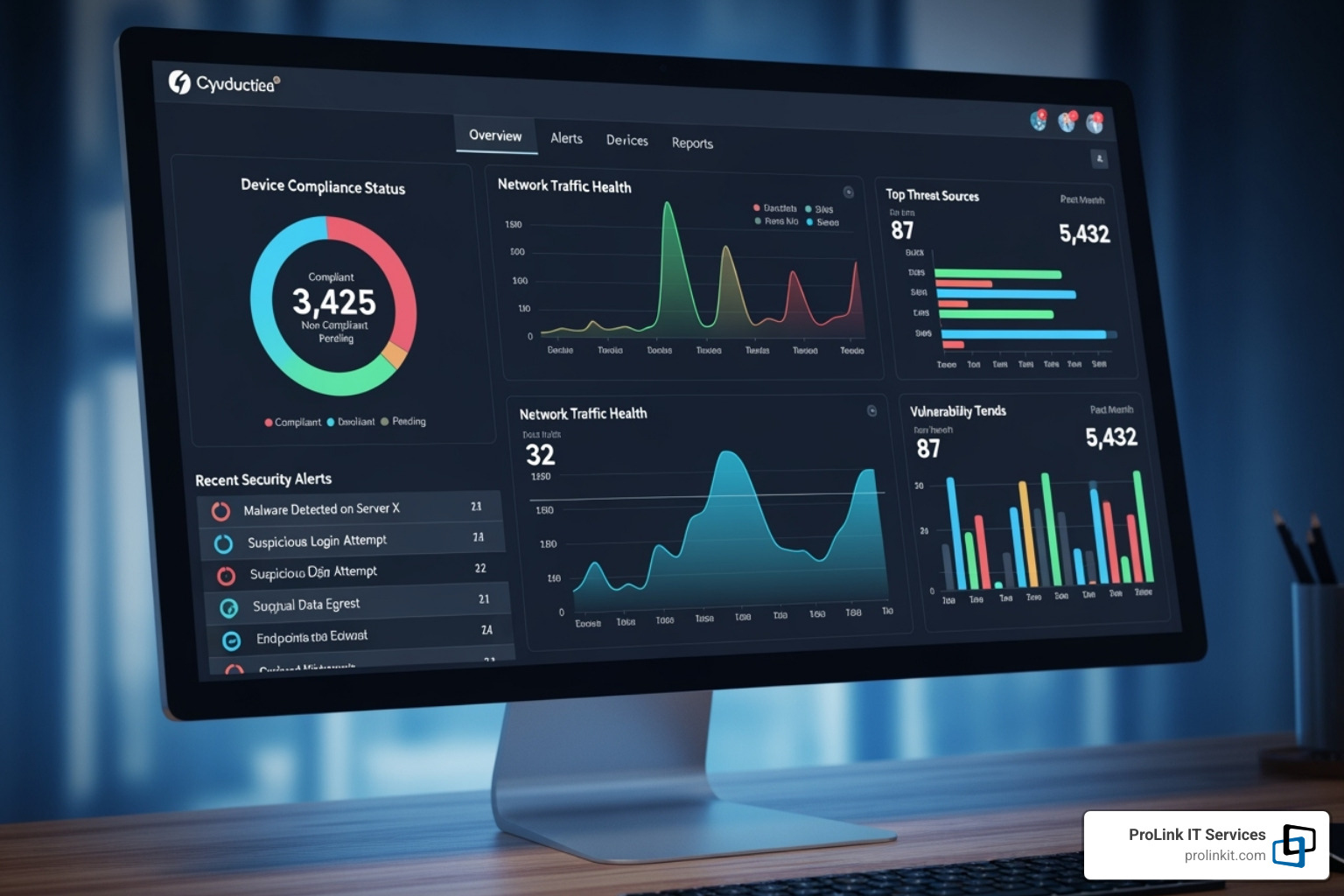
Proactive threat hunting involves constantly monitoring, analyzing, and responding to potential risks before they escalate. We route endpoint data to analysis tools like SIEM systems or Power BI dashboards, creating a “single pane of glass” to view the security status of all devices.
Intelligent filtering reduces alert fatigue by learning your environment’s baseline and flagging only meaningful deviations. If a device shows signs of compromise or non-compliance, the system immediately gates access control based on its risk level.
For example, if a laptop is infected with malware, its access to sensitive resources is automatically restricted until the threat is remediated. This continuous verification, with access permissions adjusting to real-time risk, is the power of Zero Trust. For more detailed strategies, see our guide on how to detect threats.
Streamlining Deployment with Cloud Enrollment Services
Cloud enrollment services have transformed device deployment, automating setup and securing endpoints from day one. Windows Autopilot allows a new device, shipped directly to an employee, to automatically configure itself with security policies, join Microsoft Entra ID, and enroll in Intune management upon its first connection to the internet.
Apple DEP provides the same zero-touch provisioning for iOS and iPadOS devices, which automatically enroll and apply security settings when first connected. This automation ensures every new device is secure and compliant from the start, freeing your IT team from manual configuration to focus on more strategic work.
The result is faster deployment, better security, and more productive employees.
Securing Specialized Endpoints: APIs and OT Networks
When considering how to secure endpoints, we must look beyond laptops and smartphones to often-overlooked areas like API endpoints and Operational Technology (OT) networks.
APIs are the backbone of modern business but are also prime targets for cybercriminals, with rising vulnerabilities representing a significant security risk. OT networks, which control industrial equipment, present a unique challenge, as they often use legacy systems not designed for modern cybersecurity. Zero Trust principles can be adapted to secure these unique environments.
For a comprehensive understanding of API vulnerabilities, I recommend checking out this external resource: A guide to the OWASP Top 10 API Security Risks.
Best Practices for Securing API Endpoints
APIs are digital doorways to your data and must be protected. Here’s how to secure endpoints when they are APIs:
First, never expose APIs directly. Use an API gateway as a security checkpoint to apply rate limiting, block suspicious clients, and log requests. For authentication, use a centralized OAuth server for token issuance to ensure consistent policies.
Use JSON Web Tokens (JWTs) for internal service communication, but switch to opaque tokens for external clients, as JWTs can be decoded. Rate limiting and input validation are crucial for preventing abuse and ensuring data integrity.
Implement fine-grained access control using claims to verify rights to specific data, not just endpoint access. This provides a deeper layer of security. Finally, enforce HTTPS everywhere, including for internal traffic, as encrypted communication is a non-negotiable part of Zero Trust.
Applying Zero Trust to Operational Technology (OT)
OT networks control physical processes where downtime can be catastrophic, making traditional IT security approaches inadequate. The challenge is that OT environments often rely on legacy systems with insecure protocols, and there is reluctance to update them due to the risk of disrupting critical operations.
Microsoft Defender for IoT is invaluable here. It’s designed for OT environments and provides agentless security, allowing you to protect legacy equipment. Key strategies include:
- Controlling remote connections: Defender for IoT helps monitor and control these connections to prevent unauthorized access, a common attack vector.
- Network segmentation: This is crucial for minimizing the blast radius of an attack. Defender for IoT helps identify and remove unnecessary connections.
- Anomaly detection: OT networks have predictable traffic patterns. Defender for IoT learns the baseline and alerts you to any deviations that could signal a threat.
- Continuous monitoring: This includes vulnerability management to help identify and prioritize issues, which is critical for OT devices that are infrequently updated.
Defender for IoT integrates with tools like Microsoft Sentinel for SIEM analysis and intelligent alert filtering, helping security teams focus on genuine threats.
Frequently Asked Questions about Endpoint Security
When exploring how to secure endpoints, businesses often have similar questions. Understanding the fundamentals can clarify complex security decisions.
What is the difference between endpoint security and traditional antivirus?
Traditional antivirus is one layer of security, focused on detecting known malware using signature-based detection. Endpoint security is a broader, multi-layered approach. Endpoint Protection Platforms (EPPs) combine antivirus with firewalls and intrusion prevention, while Endpoint Detection and Response (EDR) adds continuous monitoring to spot suspicious behavior from unknown threats.
Endpoint security is comprehensive, including Data Loss Prevention (DLP), device encryption, and application control. The key difference is its focus on protecting the data itself and providing complete visibility. It’s designed to handle the full spectrum of modern threats that traditional antivirus wasn’t built for.
For a deeper dive into comprehensive protection strategies, explore our guide on 5 essential IT security services to consider.
How does endpoint security work for remote employees?
Remote work has dissolved the traditional network perimeter. Modern endpoint security is location-independent, with policies enforced on the device itself for consistent protection everywhere. Consistent policy enforcement ensures that compliance checks, threat detection, and DLP function identically whether an employee is in the office or remote.
While VPNs are useful, modern endpoint security often uses cloud-based services, reducing reliance on VPNs and ensuring protection even when disconnected from the corporate network. Crucially, data protection follows the data, so information remains encrypted, controlled, and monitored on any device, anywhere. This allows for a productive and secure remote workforce.
Can I secure personal devices (BYOD) without invading employee privacy?
Yes, you can secure corporate data on personal devices without invading employee privacy. The solution is data containerization, which creates a secure, separate workspace for corporate apps and data on a personal device, rather than managing the entire device.
Application Protection Policies (APP) apply security rules at the app level, such as requiring a PIN for a work app or preventing copy/paste to personal apps. We do not monitor personal activity. Selective wipe capabilities provide surgical data protection: if an employee leaves or a device is compromised, we can remove only corporate data and apps, leaving personal information untouched.
We do not monitor personal browsing, app usage, messages, or location. This approach allows employees to use their preferred devices while maintaining privacy, and the business gets robust data protection.
Fortify Your Defenses with a Proactive Strategy
The question isn’t if your organization will face a cyberattack, but when. As we’ve explored, how to secure endpoints has evolved beyond simple antivirus to a comprehensive, multi-layered strategy for every device.
The traditional “castle and moat” security model is obsolete. Today’s distributed workforce requires a fundamental shift to the Zero Trust principle of never trust, always verify.
This guide provides a proven roadmap, from foundational controls like device registration to advanced threat detection and securing specialized endpoints like APIs and OT networks. Each layer builds on the others to create a robust, adaptable security posture. This approach relies on continuous verification, where you actively monitor and respond to threats in real-time. Access is restricted automatically based on device compromise or non-compliance—proactive security at its best.
At ProLink IT Services, our veteran-owned firm applies military-grade discipline to cybersecurity. We understand every organization is unique, so we partner with you to build a custom defense strategy that fits your needs and evolves with emerging threats.
Don’t let your endpoints become the weakest link. Reactive security is no longer enough. Your organization deserves a proactive partner who understands the technical and business realities of modern endpoint security.
Learn more about our Managed IT Services and find how we can help transform your endpoint security from a source of worry into a competitive advantage.