

Keeping Tabs – Your Ultimate Guide to Server Monitoring
Why Server Monitoring is Critical for Your Business Success
How to monitor servers effectively is a critical skill in today’s digital landscape. Server monitoring is the process of tracking your server’s health, performance, and availability to ensure your business runs smoothly. It transforms your IT approach from reactive firefighting to proactive prevention.
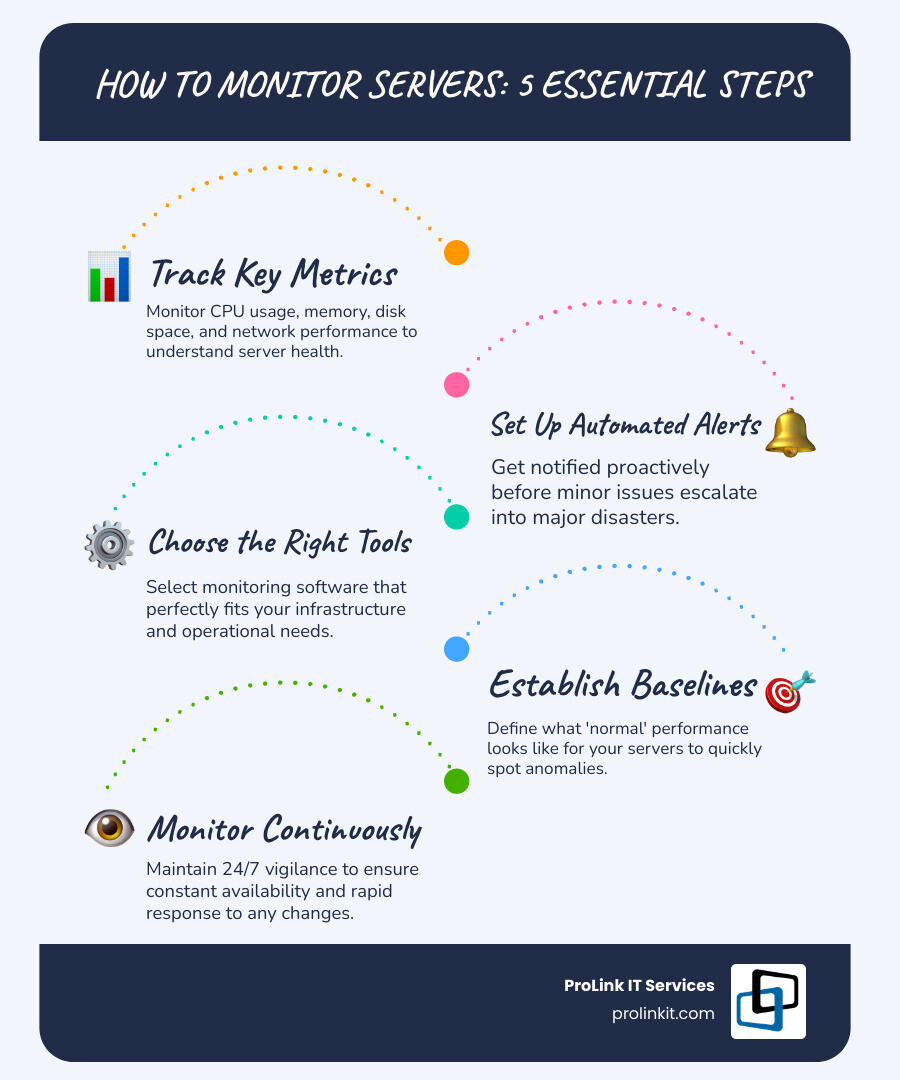
Here’s how to monitor servers in 5 essential steps:
- Track key metrics – CPU usage, memory, disk space, and network performance
- Set up automated alerts – Get notified before problems become disasters
- Choose the right tools – Select monitoring software that fits your infrastructure
- Establish baselines – Know what “normal” looks like for your servers
- Monitor continuously – Keep watch 24/7, not just during business hours
The stakes are high. According to industry research, a single hour of server downtime costs $300,000 on average for large enterprises. Even small businesses face significant losses from failed servers, including lost sales, angry customers, and a damaged reputation.
Think of server monitoring as a continuous health check for your IT infrastructure. Instead of waiting for a disaster, you catch warning signs early and take action. Modern servers are powerful but complex; complexity without monitoring is a recipe for disaster.
As Mitch Johnson, founder of Prolink IT Services, I’ve spent over 20 years helping Utah businesses understand how to monitor servers effectively. My experience shows that disciplined monitoring prevents countless disasters, with businesses experiencing 90% fewer critical outages.
Handy how to monitor servers terms:
Why Server Monitoring is a Business Imperative
Your servers are the heart of your business, processing transactions, storing data, and keeping operations running. Understanding how to monitor servers is not just an IT task; it’s a business imperative that protects your bottom line, reputation, and growth.
Effective server monitoring impacts every part of your business. It ensures peak performance for a positive customer experience, boosts employee productivity by preventing system freezes, protects against cyber threats, and aids in capacity planning. Today’s servers are powerful but complex, and managing this complexity requires comprehensive Network Management and Managed Network Services.
The Staggering Cost of Inaction
Server downtime is incredibly expensive. Beyond the immediate lost revenue, the costs include a damaged reputation, potential data loss, reduced productivity, and significant compliance risks. In our always-on digital world, every second of uptime counts, and operational delays can create a domino effect of missed deadlines and frustrated customers.
From Problem-Solving to Prevention
The goal of monitoring is to shift from reactive problem-solving to proactive prevention. Instead of scrambling to fix broken systems, you can stay ahead of trouble.
Proactive issue detection spots patterns like rising CPU temperatures or shrinking disk space, giving you time to act before a disaster. When issues arise, root cause analysis is simplified with detailed historical data, turning troubleshooting from guesswork into a science. This approach provides predictive insights by learning your system’s normal behavior and alerting you to deviations, which dramatically improves troubleshooting efficiency. Learn more about staying ahead of issues by learning how to detect threats.
Key Server Performance Metrics You Must Track
Running servers without monitoring key metrics is like driving a car without a dashboard—a risk no business can afford. Understanding how to monitor servers starts with knowing which vital signs matter most. As the famous management saying goes, “If you can’t measure it, you can’t improve it.”
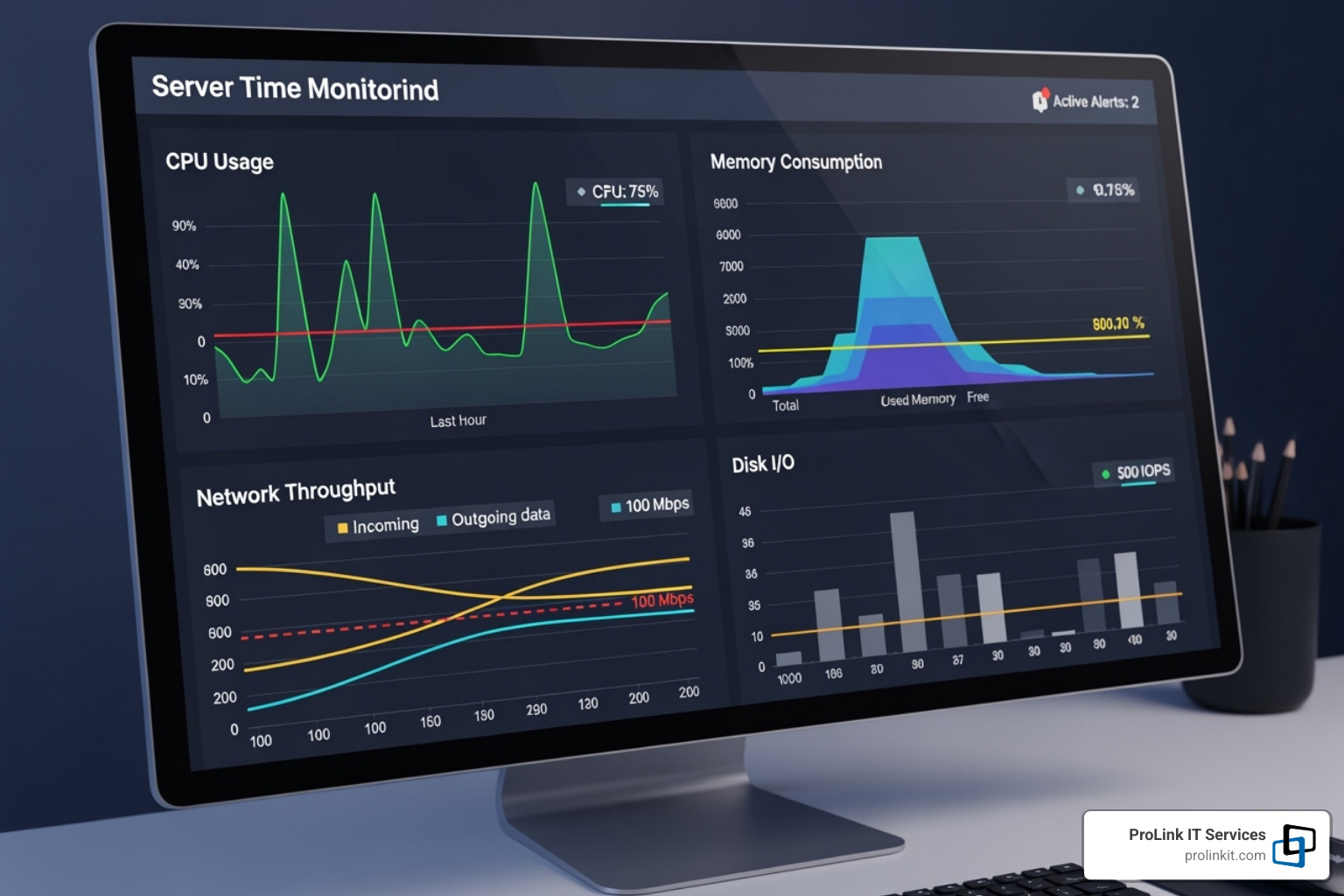
The key is tracking resource utilization and establishing performance baselines—a snapshot of your server’s normal, healthy operation. Once you know what’s normal, you can set intelligent thresholds to alert you before small issues become major outages. These metrics are also vital for capacity planning. For expert help, our IT Infrastructure Services Salt Lake City UT team can set up these systems for you.
Core Hardware and OS Metrics
These are the fundamental vital signs of your server’s health.
- CPU Load: High CPU usage (e.g., consistently over 80%) leads to sluggish performance.
- Memory Usage: Insufficient RAM forces the server to use slower disk storage, slowing everything down.
- Disk I/O and Space: Slow disk performance creates bottlenecks, while running out of space can crash the entire system.
- Network Latency & Throughput: Measures how well your server communicates, impacting user experience.
- System Uptime & Processes: Tracks reliability and identifies resource-hungry applications.
Application and Service Metrics
Healthy hardware is only half the battle; your applications need monitoring too.
- Response Time: How quickly your applications respond to user requests. Slow is frustrating.
- Error Rates: A spike in application or web server errors often signals a deeper problem.
- Requests Per Second (RPS): Helps understand server load and capacity during peak times.
- Database Query Performance: Slow queries can bring applications to a standstill.
- Service Availability: Ensures critical business applications like email are always running.
Security and Compliance Metrics
Server monitoring is also a powerful security tool.
- Unauthorized Access Attempts: A flood of failed logins can indicate a brute-force attack.
- Login Failure Patterns: Helps distinguish between user error and a coordinated threat.
- Configuration Changes: Unexpected changes can signal a breach or an internal mistake.
- Firewall Activity: Provides insight into network traffic and potential intrusion attempts.
For comprehensive protection, explore our Cybersecurity Solutions and our 7 Top Network Security Tips for Businesses guide. Combining these metrics gives you a complete picture of your IT health, allowing you to spot patterns and prevent problems.
The ‘How-To’ of Server Monitoring: Tools, Techniques, and Best Practices
Understanding the “why” and “what” of server monitoring is key, but the “how” is where strategy meets action. It’s about combining the right tools, techniques, and automation to achieve continuous vigilance.
Types of Server Monitoring Systems
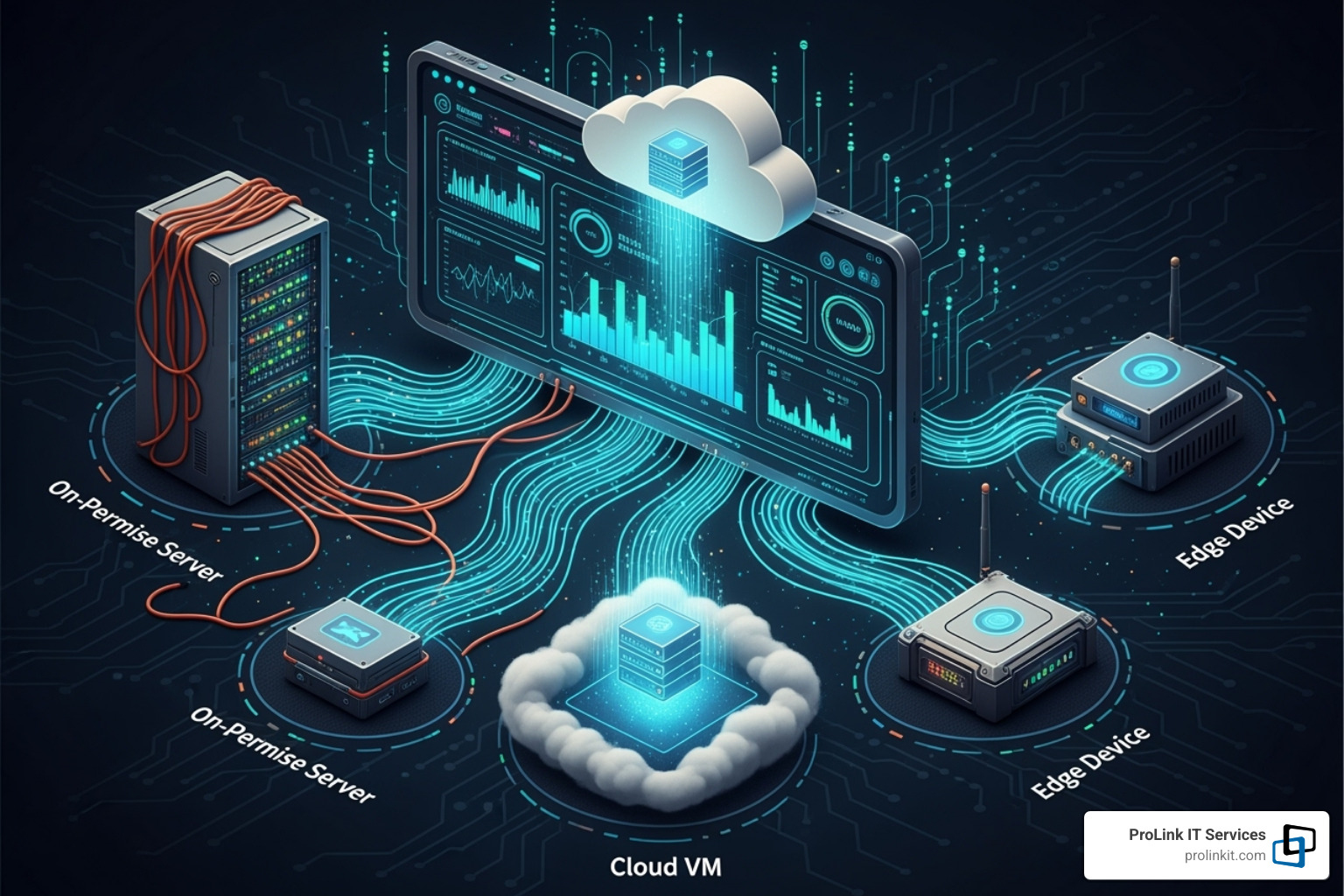
Choosing the right system to how to monitor servers depends on your infrastructure, budget, and team.
- On-premises Solutions: Installed in your data center, offering full control and data security.
- Cloud-based (SaaS) Solutions: Hosted by a third party, offering scalability and accessibility with less maintenance.
- Agent-based Monitoring: A software “agent” on each server provides deep, granular data.
- Agentless Monitoring: Uses standard network protocols to collect data remotely, simplifying setup.
- Open-source vs. Commercial Tools: Open-source offers customization but requires expertise, while commercial tools provide user-friendly features and support.
Best Practices for Effective Server Monitoring
Adhering to best practices turns monitoring into a powerful proactive strategy.
- Establish Performance Baselines: Know what “normal” looks like to spot deviations quickly.
- Analyze Historical Trends: Look at data over 30-90 days to predict bottlenecks and plan capacity.
- Configure Intelligent Alerts: Set meaningful thresholds to get smarter, actionable alerts and avoid alert fatigue.
- Automate Routine Checks: Automate tasks to reduce human error and free up your IT team.
- Document Your Setup: Keep clear documentation of your configuration, thresholds, and procedures.
How to Monitor Servers in Physical vs. Virtual Environments
Monitoring strategies must adapt to different environments.
- Physical Servers: Challenges include managing power consumption, hardware maintenance, and physical security.
- Virtual Servers: Virtualization is efficient but can create challenges like limited visibility into the underlying hardware, resource contention between virtual machines, and the risk of hypervisor failures affecting multiple systems. For expert help with virtual and cloud environments, explore our Cloud Managed Services.
Choosing Your Toolkit and Future-Proofing Your Strategy
Picking the right server monitoring solution is a critical decision. The best tool is one that fits your unique infrastructure, budget, and team expertise, with the scalability to grow with you and the integration capabilities to work with your existing systems. A good user interface and strong reporting capabilities are essential for turning data into actionable insights. For comprehensive protection, our Managed Security Services integrate with most monitoring platforms for an added layer of security intelligence.

How to Choose the Right Tools for How to Monitor Servers
To choose the right tools, consider these factors:
- Your Infrastructure: Are your servers on-premises, in the cloud, or a hybrid of both? The environment dictates the tool.
- Your Budget: Balance the cost of a commercial tool against the time and expertise required to maintain a free, open-source one.
- Your Team’s Expertise: Choose a tool that matches your team’s technical skills. A user-friendly solution can be a lifesaver for a stretched IT department.
- Essential Features: Define your must-have features, such as real-time alerts or detailed compliance reporting.
- Scalability: Ensure the tool can handle your projected growth over the next three to five years.
Key Features of a Modern Monitoring Control Panel
An effective control panel should be your IT command center. Look for:
- Real-time Dashboards: Customizable views that tell your server’s story at a glance.
- Smart Alerting: Context-aware notifications via email, SMS, or push that reduce false alarms.
- Detailed Reporting & Analytics: Tools to spot trends, justify budgets, and optimize performance.
- Integration Capabilities: Seamless connection to ticketing systems, DevOps pipelines, and other tools.
- Remote Management: The ability to restart services or reboot a server remotely.
The Future of Server Monitoring
The monitoring landscape is evolving rapidly. Future-proofing your strategy means understanding these trends.
| Feature | Traditional Monitoring | Future Trends |
|---|---|---|
| Analysis | Simple thresholds | AI-powered anomaly detection |
| Infrastructure | Physical servers, basic VMs | Cloud-native, edge, serverless |
| Alerts | Reactive, high-volume | Context-aware, automated remediation |
| Problem Solving | Manual detective work | Automated root cause analysis |
Key trends like Artificial Intelligence (AI) and predictive analytics are making monitoring more proactive, spotting patterns and predicting issues before they occur. Monitoring is also adapting to new architectures like edge computing, serverless functions, and container orchestration (e.g., Kubernetes), shifting focus from individual servers to entire application ecosystems.
Frequently Asked Questions about Server Monitoring
Here are answers to common questions we hear from Utah businesses about how to monitor servers.
How often should I monitor my servers?
The short answer is continuously, 24/7. In practice, this means:
- Real-time data collection (every few seconds) to catch sudden spikes or failures.
- Scheduled checks throughout the day to test specific services and verify tasks like backups.
- Trend analysis over longer periods (30-90 days) to spot gradual degradation and plan for future needs.
Can server monitoring improve my cybersecurity?
Absolutely. Server monitoring is a powerful security tool. It improves threat detection by spotting unusual login patterns or brute-force attacks. It aids in vulnerability identification by flagging unexpected configuration changes. Automated log analysis can find suspicious activity that a human might miss. It also simplifies compliance tracking by automatically documenting security events for auditors.
For more on this, see our guide: 24/7 Protection: How Network Security Services Keep Your Data Safe.
What’s the difference between server monitoring and server management?
It’s a common point of confusion. Think of it this way:
- Server monitoring is the detective. It observes, collects data, and alerts you to problems (e.g., “The hard drive is 95% full”).
- Server management is the action hero. It acts on the data from monitoring to fix the problem (e.g., clearing old files or adding more storage).
Management includes tasks like patching, updates, configuration, and troubleshooting. Monitoring provides the necessary data to perform management effectively. The two are partners in keeping your business running smoothly.
Conclusion
Mastering how to monitor servers is no longer just a technical task—it’s a critical business strategy. Proactive monitoring transforms your IT from a reactive fire-drill into a disciplined, predictive engine for stability and growth.
We’ve covered the essentials: tracking core hardware, application, and security metrics to gain full visibility into your infrastructure’s health. By combining the right tools with best practices like establishing baselines and intelligent alerts, you can predict future needs and prevent downtime. Whether you manage physical, virtual, or cloud servers, this complexity is manageable with the right approach.
At ProLink IT Services, our veteran-owned heritage means we approach server monitoring with discipline and integrity. We see ourselves as your partner, understanding that your servers are the digital heartbeat of your business. The peace of mind that comes from knowing your systems are guarded 24/7 is priceless, freeing you to focus on growth.
Ready to turn your IT infrastructure into a competitive advantage? Take control of your IT infrastructure with our Managed IT Services. Let’s build a resilient, high-performing future for your business together.